


INSTRUCTIONS FOR ACTIVATING AND LOOKING UP TOTO PRODUCT WARRANTY INFORMATION
![]() I. Electronic Warranty Activation Guide
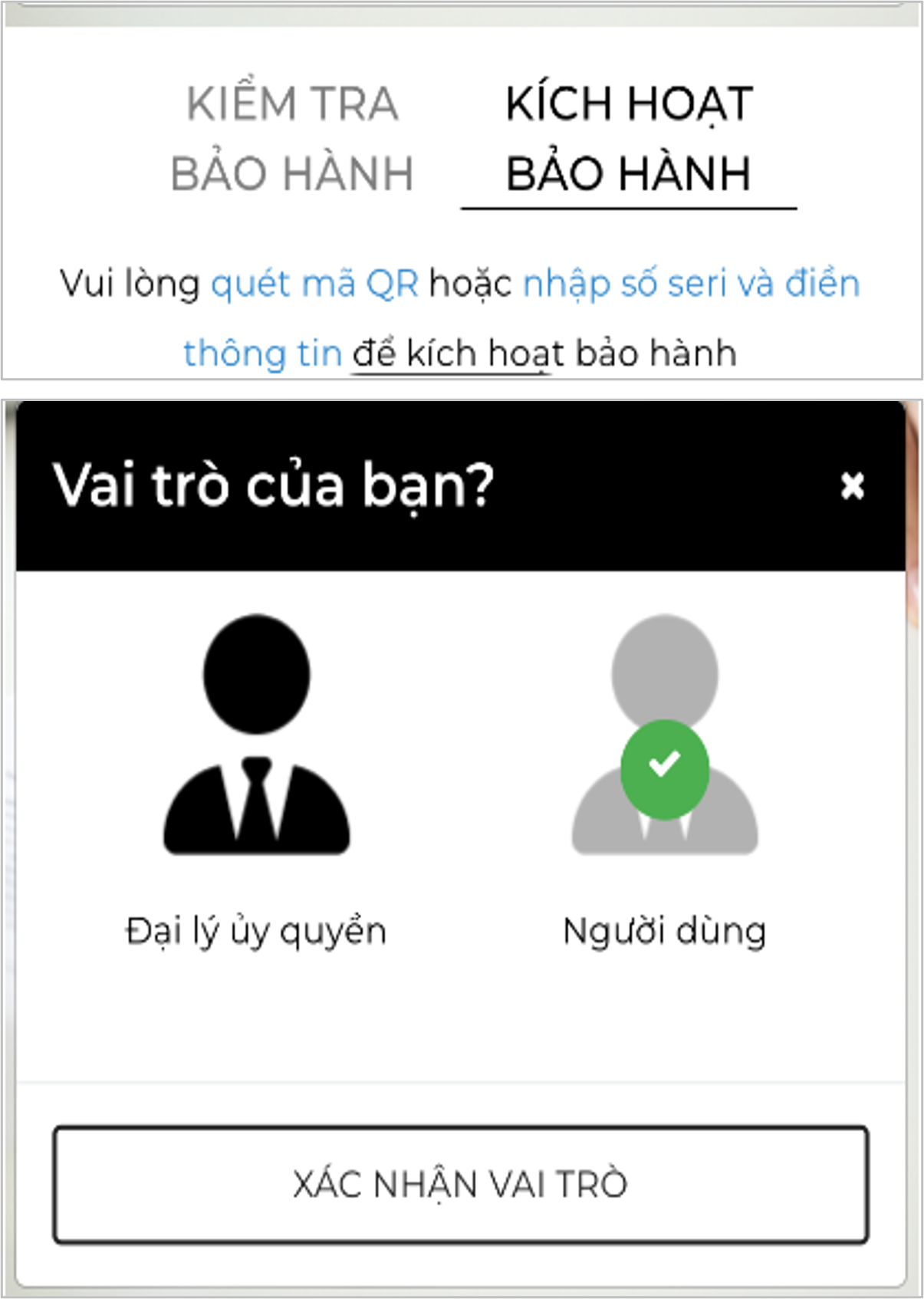
Step 1: Select “ACTIVATE WARRANTY” and confirm your user role
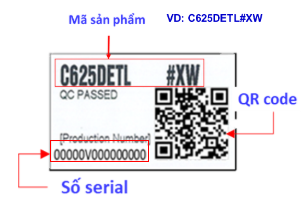
Step 2: Scan the QR code or enter the serial number and product code on the warranty sticker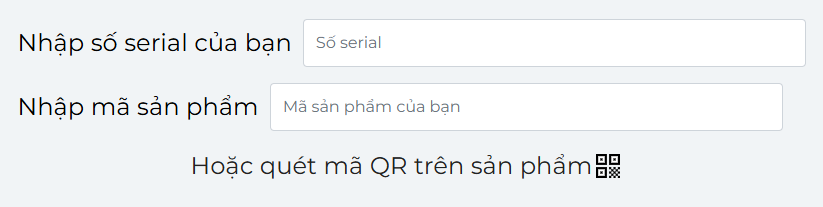
Step 3: Fill in all customer information and the place of purchase. Enter your phone number to receive a successful activation message and easily look up warranty information. Then click “ACTIVATE WARRANTY”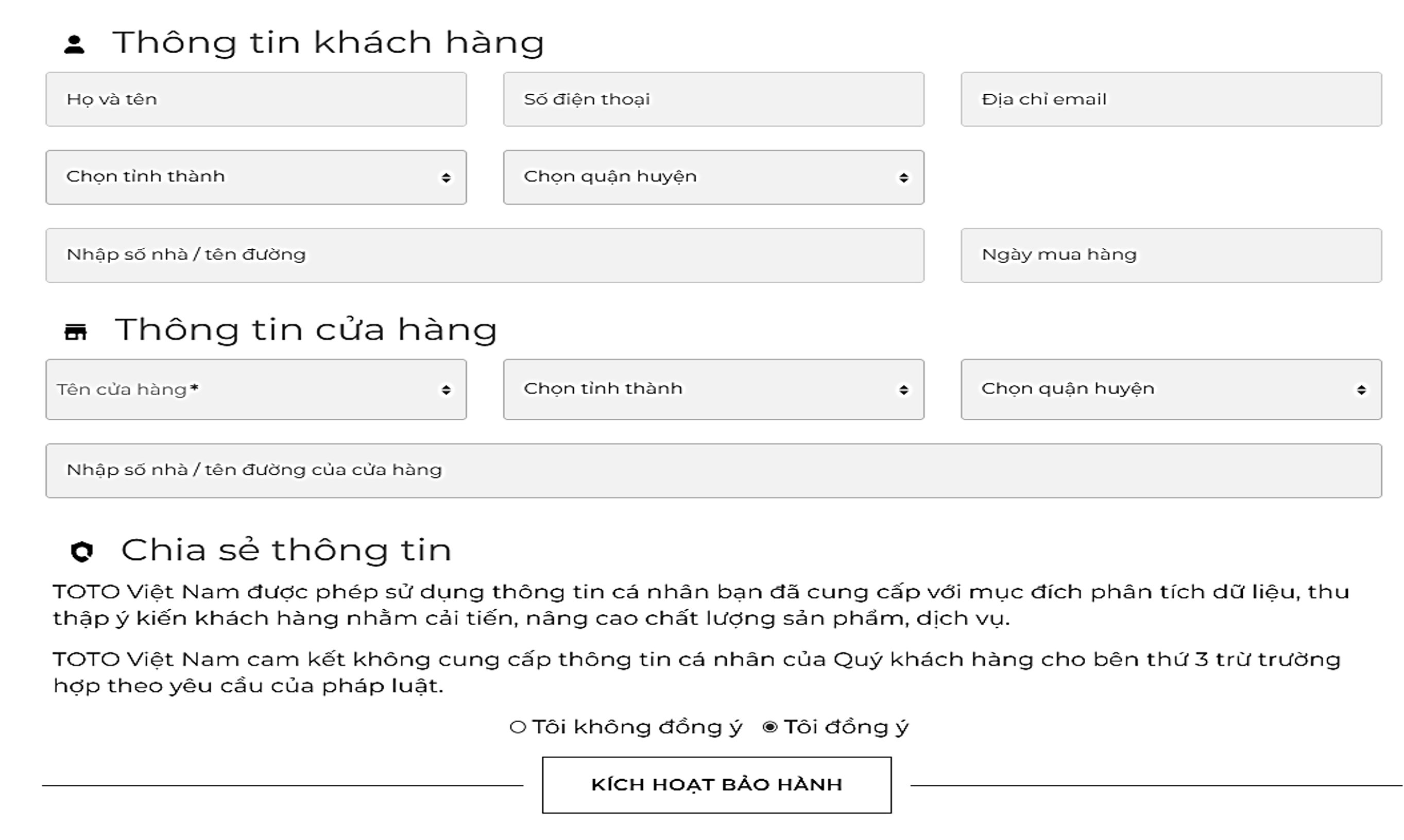 Step 4: Select “CONTINUE TO ACTIVATE OTHER PRODUCTS” if you want to activate multiple products at the same time.
Click “FINISH” after completing the activation of all products to receive a successful activation notification via SMS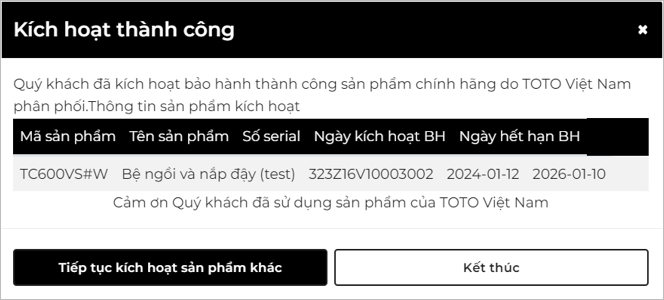
II. Warranty Information Lookup and Verification Guide
Step 1: Select “CHECK WARRANTY”
Step 2: Scan the QR code or enter the serial number on the warranty sticker or enter the phone number registered for the warranty.
Step 3: Click “CHECK WARRANTY
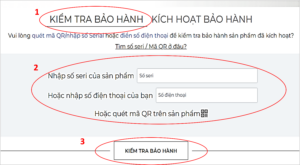
”
-------------------------------------------
For more information:
Email: info@cuonglam.com


